Context
A construction firm running several projects at once across three areas — architecture, preconstruction and construction — with progress, money and decisions living in spreadsheets, email threads and whatever each project manager kept.
The problem
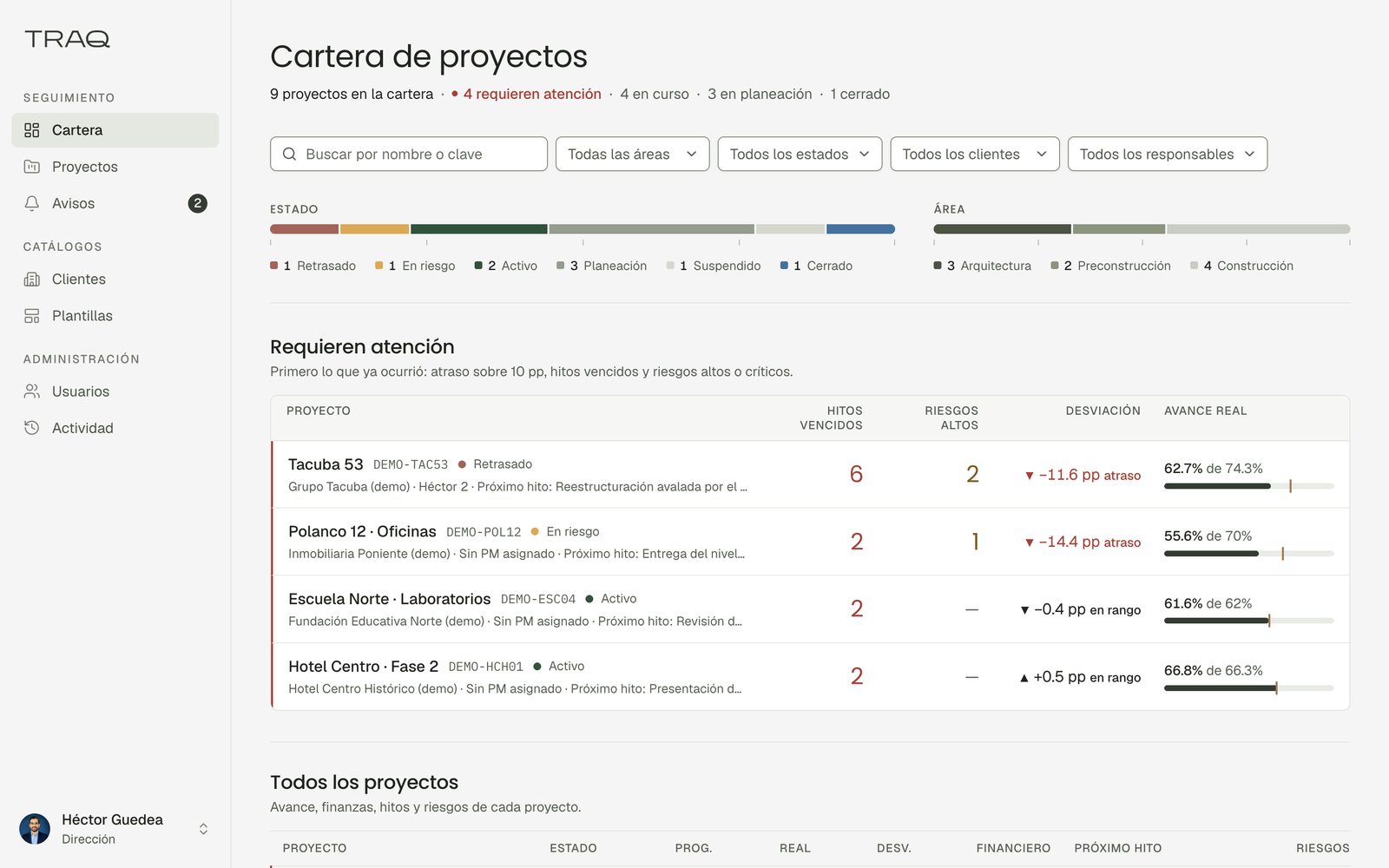
Nobody could answer the simple question — how is the portfolio doing — without asking several people and waiting. Planned against actual existed in someone’s head or in a file that was already out of date, deviations were noticed late, and a client who wanted to know how their own project was going had to be told rather than shown.
The solution
The first decision was not technical. Before building anything, the scope was written module by module with its explicit limits, signed, and anything outside it recorded as a second version rather than argued about later. The platform does not try to be an ERP, a costing system or a document manager, and saying so in writing is what kept it deliverable.
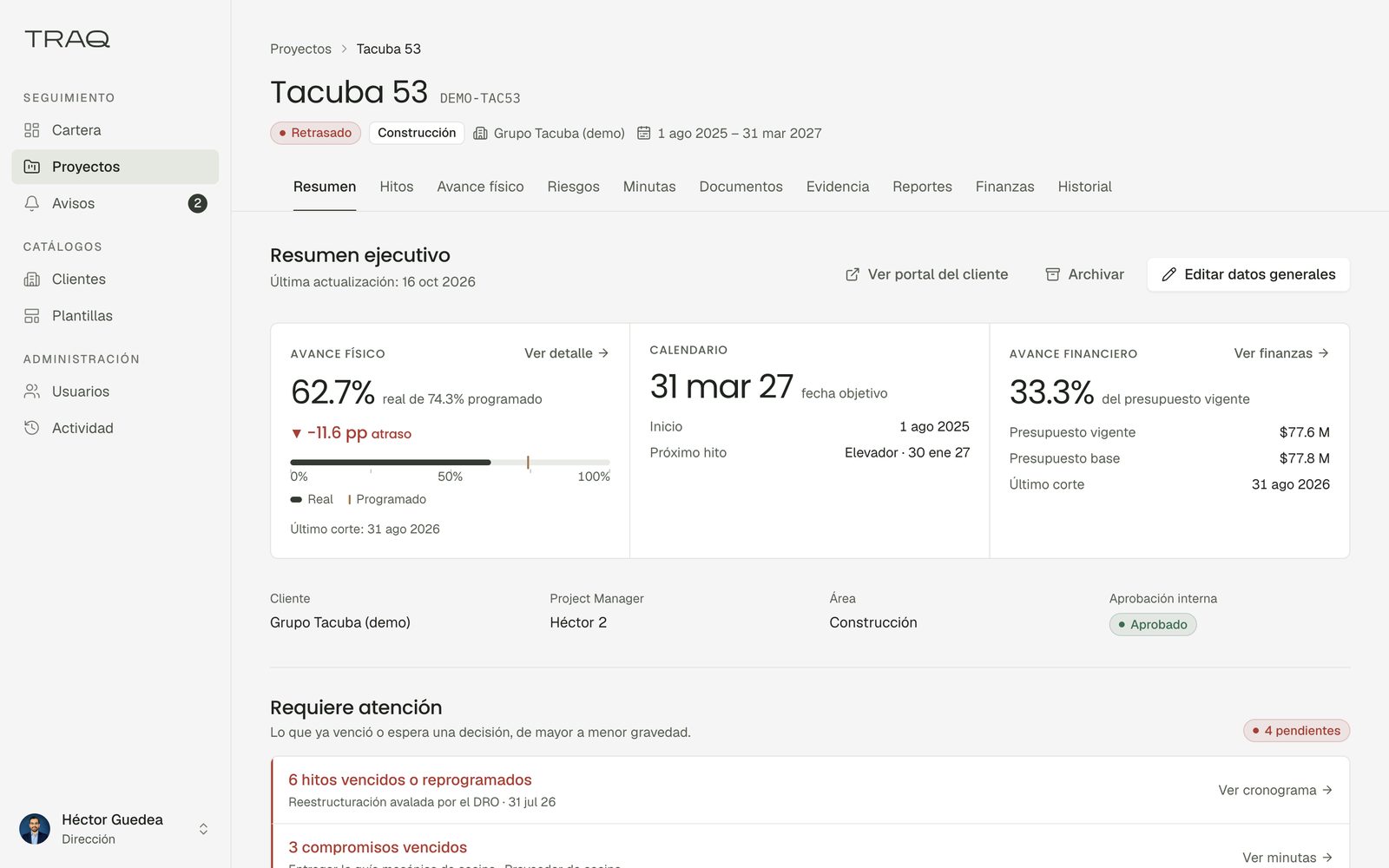
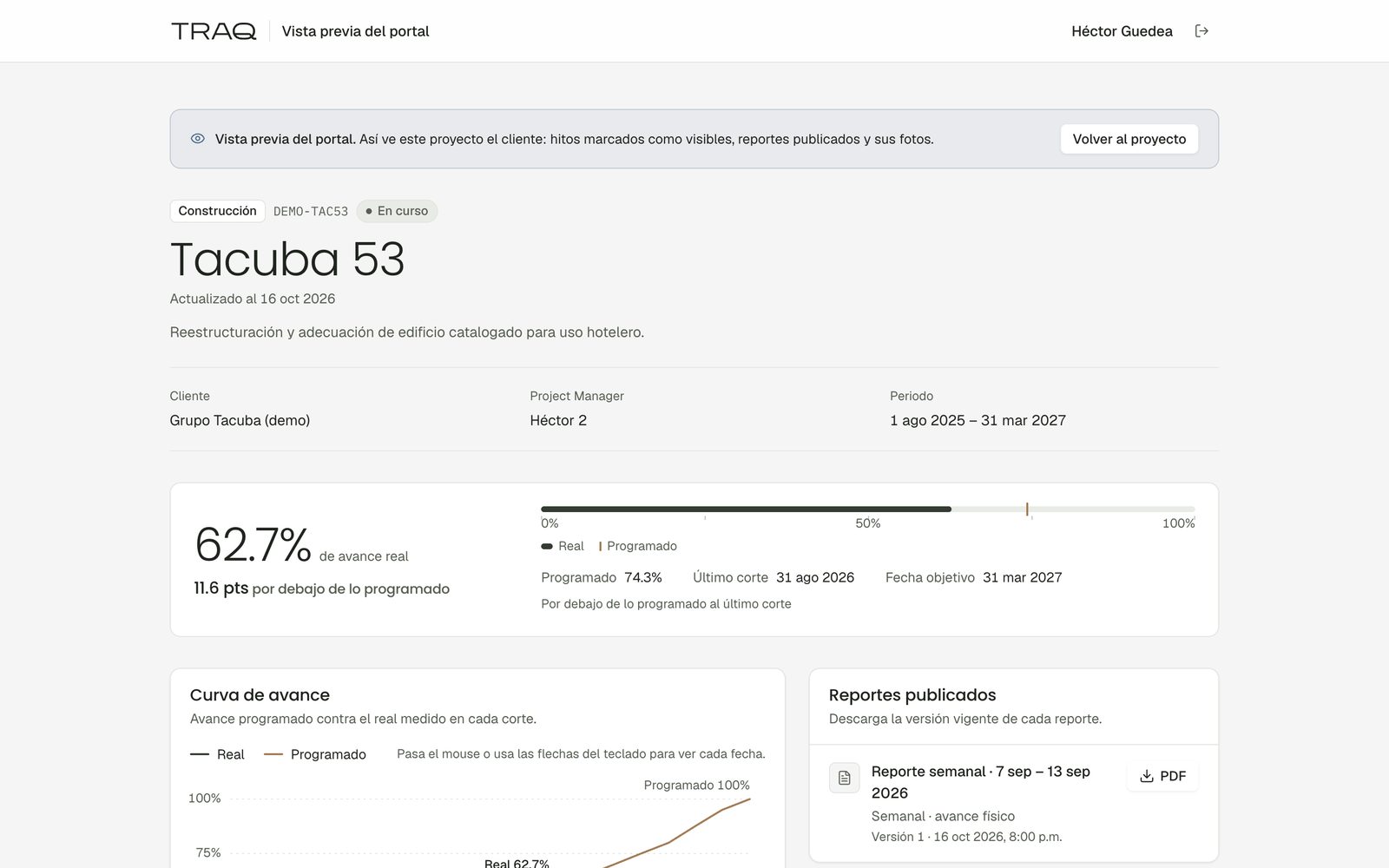
What was built is a single portfolio: projects with their client, team, dates, budget and milestones; schedule and physical progress held as planned against actual with the deviation derived, not entered; financial tracking of budget, spent and remaining with change orders pending authorisation; risks, incidents, minutes and commitments with an owner and a closing date; photographic evidence by date and work item; and weekly and monthly reports published as PDF with their versions.
Five roles see five different things, and that is enforced in the database rather than in the interface. Every table carries row level security with its policies written in the same migration that creates it, and the permission matrix has its own test suite — a new user lands with no access at all until someone grants it, and a deactivated user loses everything even with a live session. Clients get a read-only portal onto their own projects.
What it does
- Executive dashboard over the whole portfolio, filtered by area, client, owner and status
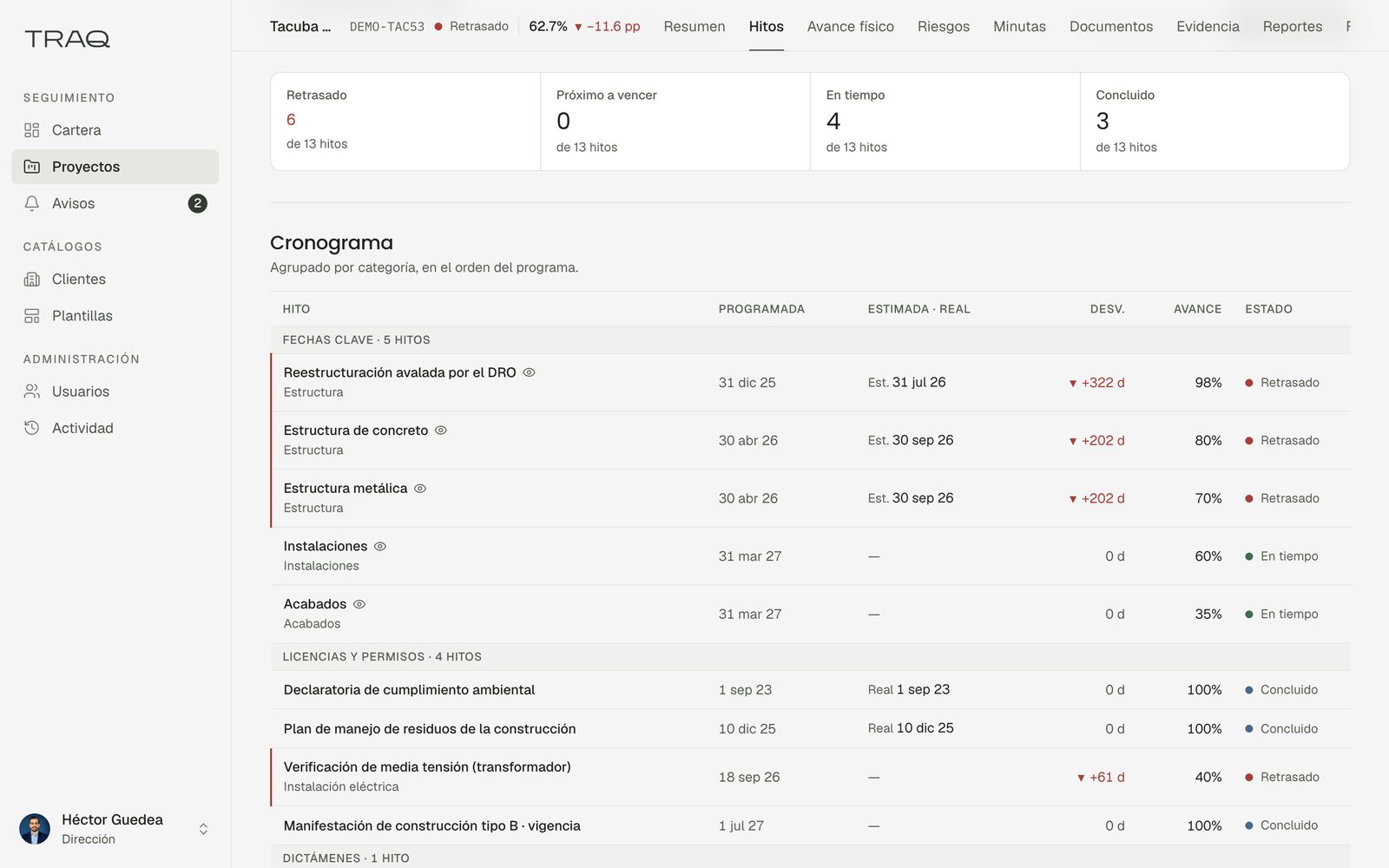
- Schedule and milestones, planned against actual, classified on time, due soon, late or closed
- Physical progress by work item with the deviation calculated
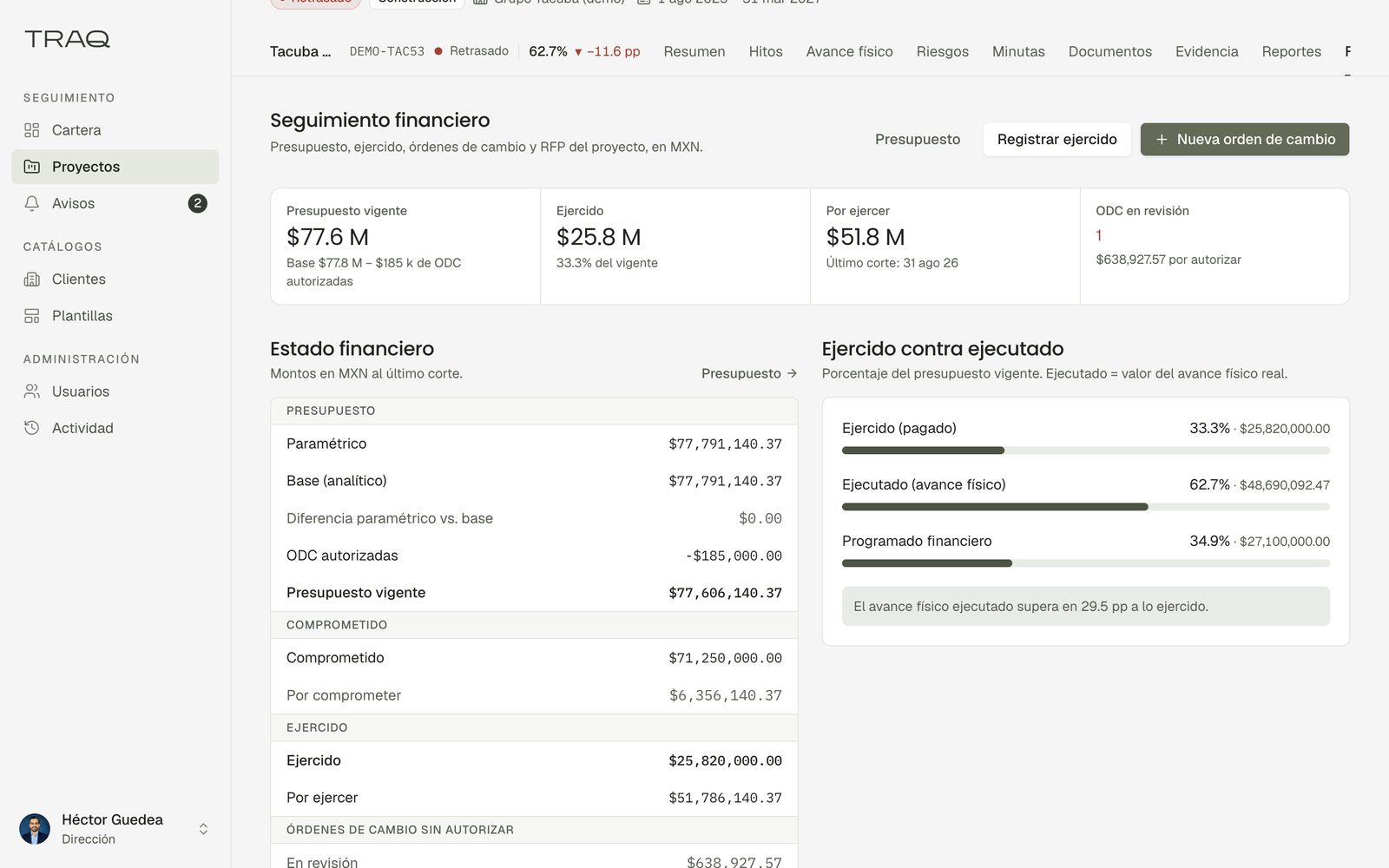
- Financial tracking: budget, spent, remaining, change orders pending authorisation
- Risks and incidents with owner, action, impact on time and money, and evidence
- Minutes and commitments with participants, agreements and dates
- Document validation: pending, validated or rejected, with who and when
- Photographic evidence by date, period and work item, selectable for reports
- Weekly and monthly reports published as PDF, with versions
- Read-only client portal onto their own projects
- Five roles with access by project, module and type of information
Architecture
Next.js and TypeScript on Vercel, with Supabase for the database and authentication. Access control lives in Postgres: row level security on every table, policies written in the same migration as the table they protect, and a test suite that runs the permission matrix against the real database. The interface is not where permissions are decided — it only reflects them.
My role
Technology consulting and development. Scoped it with the client before building, designed the data model and the permission matrix, and built the platform.
Built with